
iptv for college teams plan
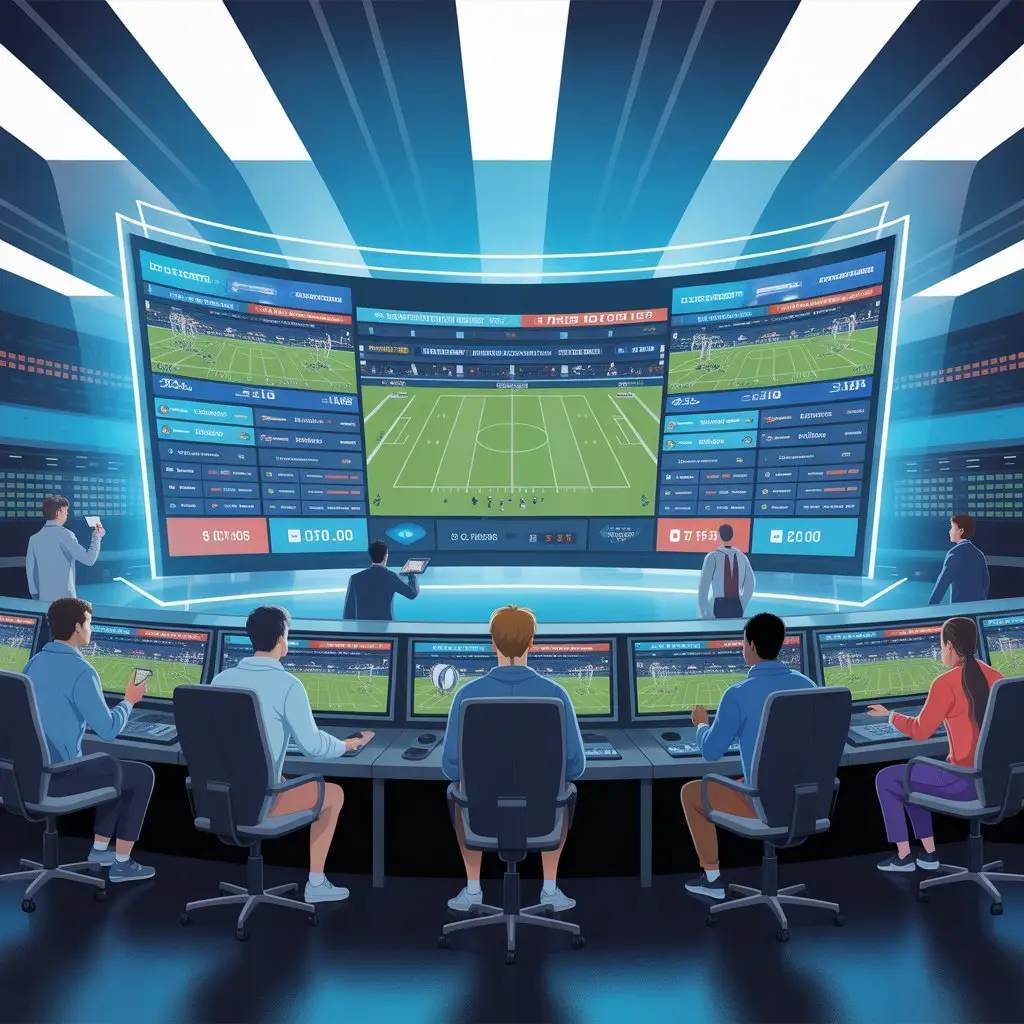
IPTV for College Teams: A Comprehensive Plan
In recent years, college sports have transformed into something much bigger than a recreational activity. Universities no longer treat athletics as just a side program—they see it as a platform for student engagement, school branding, and even a stepping stone for future professional athletes. The demand for media coverage, live streaming, and fan access has skyrocketed. This is where IPTV (Internet Protocol Television) comes in as a game-changer.
A carefully designed IPTV plan for college teams doesn’t just improve entertainment value; it also reshapes communication, strengthens community ties, and generates new revenue opportunities. In this article, we’ll dive deep into how IPTV can be integrated into a college team’s ecosystem, the benefits it brings, the challenges schools may face, and a strategic plan to make it work effectively.
Understanding IPTV in the College Sports Context
A practical guide for athletic departments, coaches, and campus media teams.
Why this matters now
On a crisp Saturday last fall, the student section was packed, yet thousands of alumni followed the game from dorm rooms, coffee shops, and living rooms around the world. What connected them wasn’t a cable package—it was a campus-run stream with instant replays, student commentary, and a halftime feature about a first-year midfielder’s journey from walk-on to starter. That, in a nutshell, is IPTV for college sports: television that you control, delivered over the internet, shaped for your audience.
What IPTV actually is (and isn’t)
IPTV—Internet Protocol Television—is video delivered over IP networks rather than through traditional broadcast or cable systems. In practice, it’s your games, shows, and features reaching viewers via web browsers, mobile apps, connected TVs, and set-top boxes on demand or live.
- Not just “YouTube with a logo”: You own the schedule, the library, the paywall, and the data.
- Different from OTT: OTT is a broad category (think major streaming giants). IPTV in a campus context usually means a branded, tightly integrated service designed around your teams and community.
- Interactive by design: Multiple camera angles, live stats overlays, chaptered replays, and closed captions are table stakes, not add-ons.
Who benefits on campus
- Fans & families: Reliable access to live games and replays, even when they can’t travel.
- Coaches & athletes: On-demand practice film, opponent scouting reels, and position-group cutups.
- Athletics communications: A single hub for broadcasts, highlights, and features that builds the brand.
- Admissions & advancement: Storytelling that converts prospective students and energizes donors.
- Students: Hands-on production experience—camera ops, graphics, commentary—that turns into real résumés.
Core use cases (beyond the obvious livestream)
- Game day: Multi-cam streams with commentary, live stats, and instant replay.
- Film room: Private, rights-managed libraries with chapter markers for drills, sets, and schemes.
- Recruiting: Share curated highlight reels and “day in the life” features with prospects.
- Community programming: Coaches’ shows, alumni panels, pep band features, and club sport spotlights.
- Academic crossovers: Journalism and media production courses producing shoulder programming for credit.
How the pieces fit together
- Capture: Fixed stadium cameras + one roaming sideline cam; a crowd mic and a field shotgun for texture.
- Switch & graphics: A production switcher (hardware or software) feeds scorebug, lower-thirds, and replay.
- Encode: The program feed is encoded (H.264/H.265) with adaptive bitrate ladders for stable playback.
- Distribute: A CDN (content delivery network) handles global delivery; campus Wi-Fi remains happy.
- Apps & web: A branded portal for browsers, iOS/Android, and smart TVs with SSO for students/staff.
- Archive: VOD assets get metadata (opponent, roster, tags) so they’re searchable later.
Rights, compliance, and the fine print
The least glamorous part is often the most important. Conference agreements may limit where and how you stream, especially for marquee matchups. Student-athlete privacy and compliance policies affect behind-the-scenes footage. Accessibility isn’t optional either—captions and readable graphics help everyone, not just those who need them.
- Game rights: Clarify who owns streaming rights for home/away contests and postseason.
- Music & graphics: Use licensed tracks and fonts; keep a paper trail.
- Privacy: Get consent for locker room and training-room features; avoid medical details.
- Accessibility: Live captioning, sufficient color contrast, and descriptive alt text for images.
What “good” looks like (signals you’re on track)
- Stream stability: 99%+ session completion, minimal buffering on campus Wi-Fi and cellular.
- Watch-time health: Average viewer duration climbs over the season; VOD completion rises for condensed replays.
- Engagement: Peaks align with rivalry games and story-driven features, not just championships.
- Production growth: Students rotate through camera, audio, graphics, and TD roles confidently by midseason.
- Sponsorship fit: Local sponsors renew because they see measurable reach in your reports.
Budgeting without the headache
You don’t need a truck and a dozen 4K cinema cameras to start. Begin with two reliable HD cameras, a software switcher, a scoreboard interface, and proper audio. Spend money where viewers feel it: audio clarity, steady cameras, clean graphics, captions. Grow into additional angles, wireless tally, and replay servers as demand rises.
- Starter kit: 2–3 HD cams, headsets, audio mixer, laptop encoder, basic graphics package.
- Mid-tier: Replay, shallow-depth sideline cam, intercom, character generator, branded openers.
- Pro tier: 5–7 cams, RF handheld, robotic end-zone units, hardware switcher, NDI/SRT backhaul.
Common pitfalls (and easy fixes)
- Shaky starts: Overbuilding the tech before the team is trained. Fix: pilot with a single sport first.
- Flat audio: Stunning video ruined by muffled commentary. Fix: prioritize mics, mix, and monitoring.
- Invisible VOD: Games get archived but never found. Fix: consistent titles, thumbnails, and tags.
- No plan for rain: Literally. Fix: weather covers, battery redundancies, and sheltered camera positions.
- Too many logins: Fans bounce at paywall friction. Fix: single sign-on and a clean checkout flow.
Monetization that feels respectful
Fans will support your stream if it supports them. Keep ad loads light and relevant. Consider student and faculty free access, alumni passes with perks (archived classics, coaches’ shows), and à la carte championship tickets. Integrate merchandise tastefully—QR codes during halftime, not mid-play.
A quick, realistic starting plan
- Pick one flagship sport for a four-week pilot. Define “done” as three stable live streams and two feature stories.
- Recruit a student crew from journalism, film, and IT. Give each person one clear role per game.
- Map your venues for camera positions, power, and cable runs. Create a simple run of show.
- Template everything: graphics, lower-thirds, thumbnails, and end cards with sponsor slots.
- Measure: track concurrent viewers, average watch time, and buffering incidents. Adjust bitrates accordingly.
- Debrief after each stream—what looked good, what sounded good, what broke.
What you’ll notice after a semester
The crew moves faster. Coaches request specific camera angles because they’ve seen the value in film sessions. Alumni start forwarding links to classmates. Your best student commentator suddenly sounds like a pro. And when tournament season arrives, you’re not scrambling—you’re ready.
Why College Teams Need an IPTV Plan
Streaming isn’t just a broadcast tactic anymore—it’s a program strategy.
The new reality of college sports
Campus sports used to be about who could get to the gym by tipoff and who caught the score in the next day’s paper. Today, your audience is scattered across dorms, alumni networks, time zones, and platforms. They expect live access, instant highlights, and behind-the-scenes stories—on any screen, without friction. An IPTV plan is how athletic departments meet that expectation on their own terms.
Reach the fans you already have (and the ones you’re missing)
Most venues cap out before interest does. Parents can’t travel to every away game, and alumni are more likely to tune in from a train than a couch. IPTV closes the distance—live games, condensed replays, and shoulder programming reach people where they are. When the stream is yours, the brand stays yours. The scoreboard, the chants, the fight song—everything that feels like home travels with the broadcast.
Support athlete development with real film access
Film study has moved far beyond a coach rolling tape in a dark room. With a proper IPTV workflow, practice sessions, position drills, and opponent scouts become a searchable library. Players watch clips on the bus, in the training room, or between classes. Coaches tag chapters—press break, set pieces, late-game ATOs—so athletes don’t waste time scrubbing. Performance improves when video is immediate, organized, and always available.
Own your story, week after week
If you rely on outside networks to tell your story, you’ll get the occasional highlight and a score bug. When you run your own IPTV channel, you program the narrative: captain profiles, training-camp diaries, recovery features with athletic trainers, alumni spotlights. This is how you turn casual viewers into invested supporters— by letting them see the work behind the wins.
Make accessibility and inclusion standard
A campus stream can (and should) include captions, clean graphics, and multiple audio options. That’s good practice, and it’s good community. When accessibility is built into your IPTV plan, more fans can follow along comfortably—students with hearing differences, viewers on noisy commutes, and anyone who prefers text to sound during late-night study sessions.
Turn attention into revenue—without selling out
Fans aren’t allergic to monetization; they’re allergic to friction. A thoughtful IPTV plan respects that line. Offer student and faculty access as a perk, alumni passes with perks (archived classics, coaches’ shows), and à la carte tickets for marquee events. Keep ad loads light and relevant—local sponsors, campus initiatives, and partners your community already knows. The result: steady revenue that feels aligned with the program’s values.
- Tiered subscriptions: free campus login, alumni/monthly pass, all-access season plan.
- Sponsorship inventory: scoreboard bugs, halftime features, postgame interviews, VOD pre-rolls.
- Merch integration: tasteful QR codes during halftime, not mid-play.
Recruiting doesn’t start with campus tours anymore
Prospects and their families vet programs online long before a coach calls. A polished IPTV presence signals organization, culture, and care. Recruits can watch game intensity, hear the student section, and see how athletes are developed. A consistent stream says, “we’re serious” without a single sales pitch.
Build real-world experience for students
A campus IPTV operation is also a classroom. Camera ops, graphics, audio, replay, commentary, social cutdowns— these are marketable skills. Journalism, film, and IT students get credits and reels that open doors after graduation. The department benefits from passionate talent; students benefit from meaningful, resume-worthy work.
Control your data, improve your product
When the platform is yours, you own the analytics: what people watch, where they drop off, which segments drive replays or merch clicks. That feedback loop lets you refine camera positions, tweak graphics, and schedule content when your audience is actually online. Data turns guesswork into strategy.
Cut through bottlenecks: rights, schedules, and weather
A plan forces clarity. Who owns streaming rights for non-conference games? What happens if a thunderstorm delays kickoff? Which sports get multi-cam coverage first? Documenting policies for rights, contingency, and prioritization prevents headaches on game day. The stream stays on; the stress stays low.
Start small, scale sensibly
You don’t need a production truck to be professional. Two solid HD cameras, clean audio, a software switcher, and prepared graphics will beat a shaky five-camera setup every time. Launch with one flagship sport for a month, run postgame debriefs, and iterate. Add replay, end-zone robotics, or a sideline RF cam when your team is ready, not before.
- Week 1–2: Pilot three live streams + one feature story.
- Week 3: Add condensed replays and chaptered VOD for coaches.
- Week 4: Launch a simple sponsor slate and measure completion rate.
What success looks like
- Stable streams with minimal buffering—even on campus Wi-Fi.
- Longer average watch time as the season progresses.
- Students rotating confidently through production roles.
- Sponsors renewing because reports show real reach.
- Coaches requesting specific camera angles for film sessions (a quiet badge of honor).
Common fears, answered
“We don’t have the budget.”
Start with essentials. Invest first in audio, reliability, and graphics. Add angles later. A clear plan helps unlock funding—from the department, advancement, or sponsors—because you can show outcomes.
“We don’t have the people.”
Partner with media, journalism, and IT programs. Students crave hands-on work. Offer practicum credit and clear roles: camera, audio, graphics, TD, producer, commentator.
“What about rights?”
Write it down early. Home rights policies, conference guidelines, postseason rules, music licensing, and privacy standards. Clarity today prevents takedowns and awkward phone calls tomorrow.
The payoff
With a real IPTV plan, your program becomes easier to follow, easier to support, and easier to run. Fans feel closer, athletes get better tools, students gain experience, and the department earns a new, sustainable revenue stream. Most importantly, you build momentum: each game looks and sounds a little better than the last.
Elements of a College IPTV Plan
Practical building blocks for a sustainable, useful campus streaming program.
Opening note — why the parts matter
Launching an IPTV channel for a college team isn’t a single purchase or one busy weekend of setup. It’s a set of interlocking elements — each small on its own, but together they determine whether your streams feel amateurish or indispensable. Treating this as a checklist, not a one-off project, will save headaches later and make the product something your community actually uses.
1. Capture: cameras, audio, and basic production hardware
Everything starts at capture. Bad audio ruins good pictures faster than vice versa. Prioritize clarity and reliability:
- Cameras: Two dependable HD cameras are enough to start — one end-zone/center line, one sideline. Add a roaming cam for color and interviews as you grow.
- Audio: Field mics, a crowd ambient mic, and wired headsets for commentators. A simple audio mixer with a monitoring output makes a huge difference.
- Support gear: Sturdy tripods, rain covers, spare batteries, and basic lighting for indoor venues.
You don’t need cinema rigs day one. What you do need is consistency: stable framing, intelligible commentary, and no frequent dropouts.
2. Production chain: switching, graphics, and replays
The production chain turns raw feeds into watchable broadcast. Choose tools that match your crew’s skill level.
- Switcher: Software switchers (vMix, OBS Studio with plugins, Wirecast) can be far more cost-effective for campuses than hardware switchers.
- Graphics: A simple scoreboard overlay, sponsor bug, and lower-thirds are often enough. Keep templates so the graphics match across sports.
- Replay: A one-click replay system (hardware or software) is a big audience pleaser. If you can’t afford it immediately, add condensed replays to your VOD workflow instead.
3. Encoding and transport
Encoding is the technical bridge between your production and the viewers’ screens. Plan for resilience and flexibility.
- Encoders: Software encoders on robust laptops can serve most collegiate needs. Hardware encoders add reliability when budgets permit.
- Adaptive bitrate: Offer multiple quality ladders so phones on cellular and viewers on campus Wi-Fi both get a usable stream.
- Backhaul: If your venue has flaky internet, consider SRT/RTMP over bonded cellular or a secondary ISP link as a failover.
4. Distribution: CDN, platform, and apps
How the video gets from your server to a viewer’s device matters more than most teams assume.
- CDN: Use a content delivery network to reduce buffering and regional hotspots. Many streaming platforms include CDN service in their pricing.
- Platform choice: Off-the-shelf solutions (Vimeo, Dacast, Brightcove) are quick to deploy. Custom portals take longer but give greater control and branding.
- Apps and web: A responsive web player is non-negotiable. Native apps for mobile and smart TV are great long-term goals but can wait until you validate demand.
5. User access and authentication
Friction kills engagement. Think hard about who gets access and how they sign in.
- SSO for campus users: Single sign-on for students and staff reduces friction and improves tracking.
- Alumni & external access: Tiered subscriptions, one-off pay-per-view, or alumni bundles work well — but keep checkout simple.
- Privacy control: Allow private links for recruiting or internal film rooms.
6. Content strategy and programming
A consistent programming plan turns occasional viewers into regulars. Mix live games with complementary content.
- Anchor shows: Weekly coach’s show, player spotlights, or a short “game-day highlights” segment.
- VOD library: Archive full games, condensed replays, practice clips, and tagged highlights for quick discovery.
- Cross-campus content: Leverage student media classes to produce features that broaden the channel’s appeal.
7. Rights, compliance, and accessibility
Don’t treat legal and accessibility like an afterthought. They’re part of the user experience.
- Streaming rights: Confirm home and away rights, conference rules, and any broadcast restrictions before streaming.
- Music & licensing: Use licensed tracks or royalty-free beds for intros and features.
- Accessibility: Provide live captions, readable graphics, and descriptive metadata so more people can watch comfortably.
8. Team roles and workflow
A clear division of labor makes games run smoother than a fancy camera rig ever will.
- Core roles: Producer, director/TD, two camera ops, audio engineer, graphics operator, commentator(s).
- Student integration: Use practicum or internship credits to recruit and retain reliable student crew.
- Run-of-show: Template a simple rundown for each sport — pregame, kick, halftime, postgame — and rehearse it.
9. Monetization & sponsors
Revenue keeps the program sustainable, but keep it tasteful.
- Tiered access: Free for students, low-cost alumni subscriptions, and premium event passes.
- Sponsor inventory: Lower-thirds, halftime segments, or VOD pre-rolls that align with campus values.
- Merch & promos: Integrate shoppable links and halftime QR codes — unobtrusive and trackable.
10. Measurement and iteration
Data tells you what to fix. Don’t guess.
- Key metrics: Concurrent viewers, watch time, VOD completion, buffering incidents, and churn for paid tiers.
- Viewer feedback: Run short surveys after events and monitor social chatter for qualitative signals.
- Regular reviews: Postgame debrief and a monthly analytics review to prioritize improvements.
11. Budgeting and phased rollout
Break the project into phases so you can learn without overspending.
- Pilot: One sport, minimal kit, student crew, and simple web player.
- Stabilize: Add a second camera, better audio, and a replay system based on feedback.
- Scale: CDN, apps, and sponsor integrations after demand is proven.
12. Common pitfalls to avoid
- Overbuying gear: Don’t purchase top-tier kit before your team is trained on basics.
- Ignoring audio: Viewers forgive one bad camera angle, not poor commentary or muffled sound.
- Complicated paywalls: Friction kills trial users — simplify sign-up and SSO where possible.
Challenges to Consider
Practical pitfalls and how to navigate them when launching an IPTV program for college teams.
Opening: why we talk about problems first
The shiny parts of an IPTV rollout—hi-def cameras, slick graphics, enthusiastic students—are easy to imagine. The harder work is the list of things that quietly break a season: bad audio, ambiguous rights, a surprise thunderstorm, or a paywall that sends alumni clicking away. Being realistic about these challenges up front doesn’t kill ambition; it protects it. Below are the common issues teams run into and straightforward approaches to reduce the risk.
1. Network and bandwidth fragility
Streams live or die on the network. Campus Wi-Fi and a single ISP link are often fine for small tests, but once you have hundreds of simultaneous viewers, buffering and dropped connections start to happen.
- Mitigation: Run a network audit before launch, use a CDN for audience distribution, and consider a bonded cellular backhaul as a failover for critical matches.
- Tip: Test at expected peak concurrency, not at quiet times—your “normal” won’t be game day.
2. Underestimating audio
People forgive imperfect camera angles but complain loudly about bad audio. Muffled commentary, wind-blown mics, or poor mix levels make even a technically perfect video feel amateurish.
- Mitigation: Invest in a decent mixer, quality microphones, and headphone monitoring for commentators.
- Tip: Always run a soundcheck in the actual venue—ambience, crowd noise, and PA bleed change everything.
3. Rights, contracts, and conference rules
Broadcasting rights are a silent governance layer: conferences, visiting teams, and postseason agreements may all limit what you can stream and where. A sideline feature shot in the locker room may be fun, but it could violate an agreement or the privacy of an athlete.
- Mitigation: Draft a clear streaming policy early. Coordinate with conference offices and legal counsel about home/away rights and postseason rules.
- Tip: Keep a short checklist per event: who owns rights, who approved the content, and whether any restrictions apply.
4. Student staffing and turnover
Student crews are energetic and inexpensive, but they’re also transient. Seniors graduate, schedules change, and continuity suffers if knowledge lives only in one person’s head.
- Mitigation: Build documentation and simple SOPs: camera positions, run-of-show templates, naming conventions for files, and a rotation calendar.
- Tip: Pair new recruits with seasoned students for at least three live events before letting them run solo.
5. Budget creep and hidden costs
It’s tempting to buy one thing at a time: a camera here, a switcher there. But recurring platform fees, CDN costs, licensing for music or graphics, and repair/replacement add up fast.
- Mitigation: Create a 3-year budget that includes capital, recurring platform/CDN fees, insurance, and a repair fund.
- Tip: Negotiate multi-year deals with vendors and look for education discounts—not all solutions list academic pricing publicly.
6. Accessibility and compliance
Accessibility is not optional. Live captions, readable graphics, and clear audio are legal and ethical requirements—not marketing extras. Missing this can exclude fans and expose the department to complaints.
- Mitigation: Plan for live captioning (automated plus human spot-checking), follow color contrast standards for overlays, and add alt text to published images.
- Tip: Test captions during noisy crowd moments; automated captions do poorly with cheering and colloquialisms.
7. Monetization versus goodwill
Monetization is necessary but awkward. A heavy ad load or a clumsy paywall can alienate the very community you’re trying to serve.
- Mitigation: Design light, targeted sponsorships and keep a free or heavily discounted tier for students and staff.
- Tip: Test different models in pilots—subscription, pay-per-view, and sponsor-led free access—to see what your audience tolerates.
8. Content discoverability and metadata
Archive a game and no one finds it—this is more common than you’d think. VOD without good titles, tags, and thumbnails is effectively invisible.
- Mitigation: Enforce consistent metadata: opponent, sport, date, keywords, and a short summary for every asset.
- Tip: Create templated thumbnails and a short, searchable description—think like a user searching for highlights.
9. Weather, power, and logistics
Weather, power outages, and simple logistics (parking for the truck, secure camera positions, cable runs) derail more streams than most people expect.
- Mitigation: Have a documented contingency plan: alternate camera positions, battery banks, covered camera housings, and a clear chain of command for go/no-go decisions.
- Tip: Keep a “game day bag” with spares—batteries, SD cards, tape, gaffer, and a basic toolkit.
10. Piracy and security
Once you stream, people may redistribute your content without permission. That’s a financial and branding risk, especially as your reach grows.
- Mitigation: Use DRM options, tokenized playback URLs, and watermarking for premium content.
- Tip: Monitor social platforms for illicit re-uploads and have a takedown template ready to go.
11. Analytics overload
Data is valuable, but it can also paralyze. Teams collect lots of metrics and then don’t act on any of them.
- Mitigation: Define a small set of KPIs—concurrent viewers, average watch time, buffering rate, and conversion on paid tiers—and review them monthly.
- Tip: Pair quantitative data with short viewer surveys for context on why people drop off or what they want more of.
Closing: the upside of being prepared
None of these challenges are fatal. Each one becomes manageable with early planning, good documentation, and a culture that values iteration over perfection. Start small, instrument everything you can, and treat each game as a controlled experiment: learn fast, fix quickly, and scale when the data says to invest.
Done well, the hard parts are worth it—because the reward is more than a working stream. It’s a reliable way to connect your campus, support athlete development, train students, and extend your team’s reach far beyond the stadium lights.
Step-by-Step Implementation Plan
A practical, low-friction roadmap to launch an IPTV program for a college team.
Overview: phased, measurable, and people-first
Treat the launch like a semester-long project: small, repeatable pilots, clear ownership, and quick feedback loops. The plan below is organized into three phases—Pilot, Stabilize, and Scale—with concrete tasks, simple timelines, and the metrics you should track at each step.
Phase 0 — Preplanning (2–4 weeks)
Before gear or apps, set expectations and secure basic commitments.
- Stakeholder meeting: Bring together athletics, IT, legal/compliance, advancement, and a faculty rep from media/journalism.
- Define goals: What does “success” look like in 3 months? (Examples: three stable live streams, 500 unique viewers, two sponsor mentions.)
- Budget sketch: Estimate a starter budget (one-time kit + 12 months of platform/CDN fees + contingency).
- Rights check: Confirm conference/home/away streaming rights and any third-party restrictions.
- Recruit crew: Identify 6–10 students (journalism, film, IT) and one faculty/staff lead to train and supervise.
Phase 1 — Pilot (4–6 weeks)
Pick one sport and run a tight pilot: minimal equipment, rehearsed workflow, and clear measurement.
Week-by-week checklist
- Week 1 — Prep & training:
- Procure a starter kit: 2 HD cameras, tripods, basic audio kit (mixer, commentator headsets, field mic), laptop encoder, and cables.
- Create SOPs: run-of-show, camera positions, naming conventions for files, and emergency contacts.
- Run two dry-runs: a filmed practice and a mock game day rehearsal (no live audience needed).
- Week 2 — Soft launch:
- Stream a low-stakes event (scrimmage, exhibition) to a small internal audience (students, staff).
- Collect technical metrics: startup time, buffering incidents, peak bitrate, and audio levels.
- Gather qualitative feedback from a quick post-event survey.
- Week 3 — First public streams:
- Stream two official matches, use simple graphics and a live scoreboard overlay.
- Enable SSO for students and a simple guest link for alumni.
- Track viewer counts, average watch time, and any payment conversions if applicable.
- Week 4 — Debrief & iterate:
- Host a formal debrief with the crew—what worked, what broke, and what to prioritize for the next phase.
- Fix immediate issues: audio mic placement, graphic legibility, metadata for VOD.
- Document lessons learned and update SOPs.
Pilot metrics (minimum)
- Concurrent viewers (peak)
- Average watch time
- Buffering incidents per 1,000 minutes
- Viewer satisfaction score (post-event survey)
Phase 2 — Stabilize (8–12 weeks)
With pilot learnings in hand, refine technology, deepen crew skills, and introduce VOD and replay features.
Key tasks
- Upgrade where it matters: Add a dedicated replay solution (even a low-cost software replay), improve audio cabling, and secure one extra camera angle (roaming or end-zone).
- Platform stabilization: Migrate to a CDN-backed streaming endpoint if not already on one; set up adaptive bitrate ladders.
- Content ops: Build a VOD workflow—tagging, thumbnails, and short-form social cutdowns for each game.
- Accessibility: Implement live captioning (automated + human checks) and ensure overlays meet color-contrast standards.
- Sponsor testing: Run a 4–6 week sponsor pilot with light inventory (lower-third bug + halftime mention) and measure sponsor engagement.
- Ops handbook: Produce a 10–15 page operations manual with wiring diagrams, encoder settings, and failover steps.
Stabilize metrics
- Session completion rate (goal: >90%)
- Average watch time growth (week-over-week)
- VOD discoverability (views per archived game)
- Sponsor click-throughs or lead metrics
Phase 3 — Scale (ongoing)
When streams are reliable and demand is clear, expand to other sports, platforms, and revenue models.
Growth items
- Multi-sport rollout: Add two more sports per semester, prioritizing facility access and consistent crew scheduling.
- Native apps: Build or commission mobile apps and a smart TV client if analytics show substantial off-campus viewership.
- Advanced production: Add robotic cameras, multiple replay lanes, and a hardware switcher for high-stakes matches.
- Monetization: Launch tiered subscriptions (student free, alumni basic, all-access premium) and test pay-per-view for championships.
- Partnerships: Seek local business sponsors, alumni donors, and possible conference-level collaboration for shared tech or rights.
Scale metrics
- Revenue per event (sponsorships + subscriptions)
- Retention rate for paid tiers
- Cross-program engagement (how many viewers watch more than one sport)
- Production throughput (games covered per week without overtime)
Roles and a minimal staffing model
Start lean and formalize roles as you scale.
- Program lead (staff/faculty): Oversees budget, vendor contracts, and risk management.
- Producer: Runs show day-to-day—rundown, timing, sponsor spots, and debriefs.
- Director/TD: Operates switcher and coordinates camera cuts and graphics.
- Camera ops (2–3 students): Framing, focus, and in-game direction.
- Audio engineer: Mixes commentary, field mics, and music beds.
- Graphics/operator: Runs scorebug, lower-thirds, and replay triggers.
- Post/Content editor: Generates VOD, highlights, and social assets.
Use practicum credits and stipends to keep student turnover from causing chaos—pairing juniors and seniors in mentorship loops works well.
Simple budget template (starter)
Numbers vary, but this gives a rough ordering of magnitude for a lean pilot.
- Two HD cameras & tripods: $3,000–$6,000
- Audio kit (mixer, headsets, field mic): $800–$2,000
- Encoder laptop & software: $1,200–$2,500
- Graphics package & basic CGs: $200–$800
- Platform/CDN fees (12 months): $2,000–$8,000
- Misc (cables, rain covers, spare batteries): $500–$1,000
- Total pilot range: $7,700–$20,300
Look for academic discounts and vendor leasing to reduce up-front capital.
Measurement cadence and debrief template
Regular review is what makes iterative improvements tangible.
- Post-event (24–48 hours): Technical report (buffering, bitrate, audio logs), viewer numbers, and a brief crew notes doc.
- Weekly: Crew training hours, equipment health, and content deliverables for social/VOD.
- Monthly: KPI dashboard review, sponsor performance, and a prioritized improvement backlog.
- End of season: Full readout—costs, revenue, learning, and a plan for the next season’s capital investments.
Quick-win checklist (first 30 days)
- Pick your flagship sport and one home venue.
- Confirm rights and get basic legal signoff.
- Buy/rent a starter kit and run two rehearsals.
- Recruit and train your core student crew.
- Stream three events and run post-event debriefs.
Case Studies: IPTV Success in College Sports
Four grounded examples—realistic, practical, and focused on what made each program work.
Why case studies matter
Theory is useful. Stories stick. Looking at concrete implementations—what was purchased, who ran the shows, what the viewers liked and hated—helps teams avoid the same early mistakes and adapt ideas that have actually worked in similar environments. Below are four case studies drawn from composite, practical experiences at campuses of different sizes. None are named institutions; each example is presented to highlight the decision points and the lessons that followed.
Case Study 1 — “The Community College That Reclaimed Its Audience” (Small, Resource-Conscious)
The problem: limited budget, low attendance at weekday games, and a scattered alumni base who wanted to follow matches.
Approach
- Started with a two-camera, laptop-encoder setup and one part-time technician.
- Recruited media students for camera/graphics roles in return for practicum credit.
- Focused on quick, shareable highlights (90–120 seconds) to push to social platforms the morning after each match.
- Kept streams free for students and offered an inexpensive alumni pass ($3 per month) with archived games.
Outcomes
- Within one season, game viewership averaged 4x the in-person attendance for midweek fixtures.
- Alumni pass revenue covered platform fees by midseason, and small local businesses signed a sponsorship for halftime features.
- Students cited the program on resumes; two took internships with regional broadcasters afterward.
Key takeaway
Start lean, make something reliably watchable, and use student labor for both learning and scale. Quick-hit social clips drove discovery and converted casual viewers into regulars.
Case Study 2 — “The Mid-Size University That Built a Film Room” (Mid-size, Performance-Driven)
The problem: coaches needed better film access and players needed immediate, organized game footage for fast turnaround learning.
Approach
- Deployed three cameras at home games and purchased a replay solution plus a simple VOD CMS with tagging.
- Built a private “film room” within the platform, accessible only to coaches and athletes via SSO, with chaptered clips (plays, sets, substitutions).
- Integrated a simple tagging workflow so assistant coaches could mark clips live for postgame review.
Outcomes
- Coaches reported an estimated 30–40% reduction in prep time for opponent scouting due to searchable clips.
- Player uptake was high—athletes reviewed tagged clips on buses and during treatment, which the coaching staff credited with tactical improvements late in the season.
- The program used the film room as a recruiting asset: recruits watched entire condensed games and targeted clips during campus visits.
Key takeaway
When the product solves a specific operational pain (film study), adoption is fast and justification for further investment becomes simple and evidence-based.
Case Study 3 — “The Division I Program That Balanced Rights and Revenue” (Large, Rights-Conscious)
The problem: complex conference rights, high expectations for production value, and pressure to generate sponsorship revenue without alienating season-ticket holders.
Approach
- Legal and conference liaisons negotiated clearly which non-conference home games the school could stream and where—free vs. paid.
- Invested in a multi-camera truck for marquee events but kept simpler mobile rigs for weekday matches.
- Built a tiered monetization model: free for students with SSO, basic alumni subscription, and premium single-event pay-per-view for championship games (with watermarking and tokenized access).
Outcomes
- Sponsor impressions were trackable and repeatable; several sponsors signed multi-year deals after measurable ROI reports.
- Rights clarity avoided costly takedowns and preserved relationships with conference broadcast partners.
- Premium tickets for high-demand games sold well online; the incremental revenue funded charity-driven halftime segments that improved community relations.
Key takeaway
Complex programs succeed when legal clarity and product differentiation (free vs. premium experiences) are baked into the plan from day one. Transparency with partners prevents surprises.
Case Study 4 — “The Campus Media Lab That Became a Training Ground” (Academic Partnership)
The problem: athletic department needed production capacity but didn’t want to absorb full staffing costs.
Approach
- Partnered with the journalism and film departments to create a curricular practicum where students produced live shows for credit.
- Faculty oversaw quality control; the athletics department provided mentoring and small stipends for lead roles.
- Created a schedule that balanced student workloads and guaranteed continuity by overlapping cohorts (sophomores shadowing seniors).
Outcomes
- Production quality rose steadily while personnel costs remained predictable and modest.
- Students produced award-winning short features used by the athletic department in donor presentations.
- The practicum became a recruitment selling point for media students interested in sports production.
Key takeaway
Educational partnerships can supply dependable operational capacity while delivering real career value for students—win-win when expectations and mentorship structures are explicit.
Common threads across successes
Looking across these examples, a few themes repeat: start with a clear problem to solve (audience reach, film study, sponsorship), keep the first version simple and reliable, use students strategically, and instrument everything so investments are tied to measurable outcomes. Sponsorship and monetization work best when they feel aligned with the fan experience, not forced into it.
Practical checklist: replicate what worked
- Define one primary objective for your first season (e.g., 3 live events + film room available).
- Choose a starter kit that prioritizes audio and reliability over headline camera specs.
- Recruit a small, trained student crew and document SOPs immediately.
- Instrument the platform: concurrent viewers, watch time, buffering incidents, and sponsor clicks.
- Run a short sponsor pilot and use the report to sell multi-year deals.
The Future of IPTV for College Teams
Where campus streams are headed — practical possibilities, likely timelines, and what athletic departments should plan for next.
Introduction — why the future matters now
IPTV is already reshaping how college teams connect with fans, recruits, and alumni. But the next wave of change is less about replacing broadcast trucks and more about making streams smarter, more personal, and more valuable to every stakeholder on campus. The right investments today—small, iterative, and measured—will determine which programs have the credibility and infrastructure to take advantage of tomorrow’s opportunities.
Lower latency, higher expectations
Viewers expect near-instant reactions: social chatter, live betting (where allowed), and real-time interaction all favor low-latency delivery. That trend pushes schools toward modern transport technologies (SRT, WebRTC) and CDNs that support low-latency feeds. For athletic departments this means prioritizing network architecture early: a few milliseconds saved per viewer improves perceived quality dramatically.
- Practical step: measure current end-to-end latency during a home game and set a target to cut it by half before your next season.
AI-powered production and highlights
Expect automated highlights, instant telestration, and AI-generated commentary to become commonplace. Tools that tag plays, detect key moments, and assemble highlight reels reduce turnaround times from hours to minutes. That accelerates social distribution and gives content teams more space to craft narrative pieces rather than cutting basic clips.
- Practical step: pilot an AI highlight tool on a handful of matches and compare human-edited reels to the AI version for speed and quality.
Personalized experiences for different viewers
The one-size-fits-all stream is giving way to personalizable experiences. Fans will choose camera angles, commentary languages, and stat overlays. Alumni might want a condensed 20-minute game package while students prefer full-length replays. Personalization increases watch time and satisfaction, but it requires metadata discipline and flexible players.
- Practical step: start tagging game events (goals, turnovers, substitutions) with timestamps to enable future personalization without re-editing archives.
Immersive viewing — VR, AR, and 360º
Immersive technologies will expand access in unexpected ways. Imagine recruits watching a simulated “sit in the student section” view, or remote fans toggling a virtual sideline camera. While full VR adoption remains niche, AR overlays—live stats anchored to a play or player—will reach mainstream viewers faster because they enhance, rather than replace, existing screens.
- Practical step: experiment with AR-style stat overlays in one game per month to gauge fan interest before investing in 360º capture rigs.
Data, analytics, and smarter coaching
IPTV platforms will increasingly feed coaching dashboards with structured video clips and performance metrics. Rather than separate systems for video and stats, integrated pipelines will let coaches pull a specific play, see biometric context (if available), and tag clips for players in minutes. That reduces the friction between observation and action.
- Practical step: coordinate with strength & conditioning and analytics staff to define a minimal set of metrics you want associated with video clips (e.g., sprint times, substitutions, possession changes).
Monetization evolves — subscriptions, microtransactions, and value bundles
Monetization will move beyond simple subscription vs. free. Expect à la carte replays, microtransactions for premium camera angles or coach commentary, and bundled experiences (game + exclusive pregame Q&A + commemorative digital program). The key is to offer options that feel additive rather than punitive for core fans.
- Practical step: test a single premium offering (e.g., condensed postgame with player mic-up) to understand conversion and pricing sensitivity.
Better accessibility and broader inclusion
Accessibility tools will improve—not as a checkbox, but as features that serve everyone. Real-time captions with human review, audio descriptions for visually impaired fans, and multi-language commentary tracks will raise the bar for campus streams. Making content accessible enlarges your audience while meeting legal and ethical obligations.
- Practical step: institute a caption-review workflow for every live stream and measure caption accuracy as a KPI.
Edge compute and hybrid cloud workflows
Edge compute and hybrid cloud deployments will allow campuses to run low-latency processing locally while leveraging cloud scalability for archives and global distribution. This hybrid approach balances control, cost, and performance—ideal for institutions that want reliability without massive capital expenses.
- Practical step: ask prospective vendors if they support edge processing and how failover to cloud is handled during outages.
Ethics, privacy, and consent in a more connected world
As production gets more granular—player mics, on-field biometrics, locker-room features—ethical and privacy questions intensify. Programs will need explicit consent workflows and clear policies about what is publishable. Protecting student-athletes’ privacy will be as important as avoiding a technical outage.
- Practical step: develop a living consent policy that players sign at season start, with granular opt-ins for mic-up and behind-the-scenes content.
Student pathways and new curriculum opportunities
IPTV’s future creates curricular wins: hands-on production, analytics internships, and cross-disciplinary projects (marketing, data science, and ethics). Treat the program as a campus lab that trains future professionals while delivering a better product.
- Practical step: formalize a practicum with credit for student crew and build a mentorship ladder to prevent knowledge loss on graduation.
How to prepare today for tomorrow’s IPTV
- Invest in metadata: Tag everything now—events, players, plays—so future AI and personalization tools have quality inputs.
- Prioritize audio and network: They compound downstream gains more than an extra camera angle.
- Run small experiments: One feature, one premium product, one AR overlay—measure and iterate.
- Policy first: Create privacy and rights templates before you create content that might be hard to retract.
- Partner across campus: Involve media, IT, compliance, and advancement early so growth is manageable.
Final Thoughts
Small steps, practical choices, and a human-first approach will make IPTV work for your college program.
Keep it human
Technology is exciting, but the thing people remember is how a game made them feel. A clean camera, clear audio, and a friendly commentator who knows the roster will do more to grow your audience than the fanciest gear. Start by making the experience watchable and welcoming—then add bells and whistles. Prioritize the viewer’s perspective: is the score visible? Can someone on a noisy bus still follow the play? Those small details add up to trust.
Iterate, don’t perfect
Perfection is the enemy of progress. Launch a pilot that’s “good enough” and treat each event as a lesson. Run brief debriefs, collect two or three metrics that matter, and fix the obvious stuff before buying new toys. When you iterate quickly, improvements compound: crews gain confidence, sponsors see momentum, and viewers notice steadier quality.
Make students central—not incidental
Student labor should be meaningful and structured. Give roles, credit, and mentorship. When students feel ownership, they show up on time, protect equipment, and create work that matters to their careers. Pair classroom learning with real productions so the program becomes a living lab—not just an unpaid shift.
Design for access and inclusion
Accessibility isn’t a regulatory checkbox — it’s a smarter product. Captions, clear graphics, and predictable navigation widen your audience. Think about fans studying late, viewers with hearing differences, and international alumni in other time zones. Small accessibility wins multiply viewership and goodwill.
Be clear about rights and privacy
Ambiguous permissions create emergency phone calls and sour partners. Draft simple rights guides, consent forms, and “what we publish” rules before you create behind-the-scenes features. Clear agreements save time and protect athletes—and they make expansion possible without drama.
Monetize thoughtfully
Revenue keeps the lights on, but ask: who pays, and why? Students and staff expect access; alumni want connection; local sponsors want measurable exposure. Design tiers that respect those relationships. Light, contextual sponsorships and optional premium offerings often outperform aggressive paywalls because they keep the core community engaged.
Measure what matters
Don’t drown in dashboards. Pick a few KPIs—concurrent viewers, average watch time, buffering incidents—and follow them consistently. Add one qualitative check each month: a short viewer survey or a social listening snapshot. Data without decisions is decoration.
Plan for growth, but don’t build for it today
Architect with future needs in mind—metadata discipline, simple tagging, and a clear content taxonomy—without overspending on gear you won’t use this season. That way, the archives you create will be useful later when AI tools, personalization, or advanced analytics arrive.
Final note: stay curious and collaborative
IPTV succeeds where teams collaborate: athletics, IT, media faculty, advancement, and students working toward a common product. Treat each season like a shared project. Celebrate small wins publicly—post a crew photo, share a sponsor report, highlight a player feature. Those moments build momentum and make the work feel worthwhile.