
iptv home automation plan
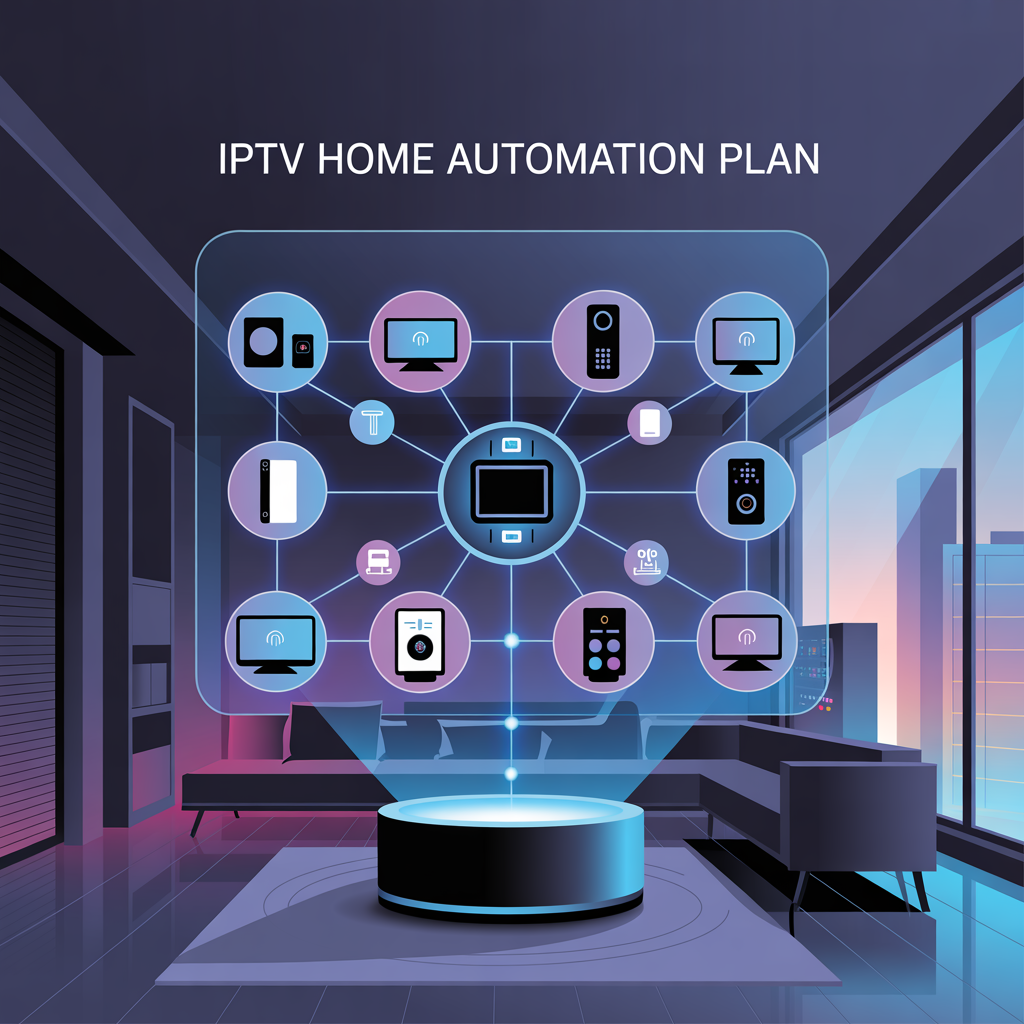
IPTV Home Automation Plan – The Future of Smart Living and Seamless Entertainment
Over the past decade, the concept of a “smart home” has shifted from being a futuristic dream to something that’s not only accessible but increasingly common. Homes today are equipped with voice assistants, smart lighting systems, connected security cameras, and even refrigerators that send you reminders when you’re running out of milk. Parallel to this transformation, the way we consume media has also evolved dramatically. Internet Protocol Television, or IPTV, has taken center stage, offering far more flexibility, personalization, and choice than traditional cable or satellite TV.
Now imagine bringing these two worlds together — IPTV and home automation — into a single, unified plan. Instead of treating your television service as a separate entity, you weave it into your broader smart home ecosystem. Your IPTV isn’t just about streaming shows; it’s part of your lighting ambiance, your security setup, your climate control, and even your daily routines.
In this blog, we’re going to dive deeply into what an IPTV home automation plan looks like, how it can be implemented, the benefits and challenges, and some real-world scenarios that will show you why this integration is more than just a tech fad.
Understanding IPTV in the Context of Smart Homes
by Youssef — Updated: August 12, 2025If your living room is starting to look less like a room and more like an ecosystem — a TV, voice speaker, smart lights, and a couple of curious devices that light up at night — you’re living in what most people call a smart home. The missing piece for many households isn’t another gadget; it’s how entertainment itself fits into that system. That’s where IPTV comes in.
What exactly is IPTV?
IPTV stands for Internet Protocol Television. In plain terms, it means getting television and video content delivered over an IP (internet) network rather than through traditional broadcast, satellite, or cable channels. Content is packaged as data packets and streamed to your device — live channels, time-shifted content (like catch-up TV), and video-on-demand — all via the internet. :contentReference[oaicite:0]{index=0}
A key distinction worth remembering is how IPTV differs from the broader category people often lump it with: OTT (over-the-top) streaming. Both use IP networks, but IPTV typically runs over a managed network offering predictable bandwidth and quality of service, while OTT services travel over the public internet and focus on broad accessibility rather than a managed user experience. :contentReference[oaicite:1]{index=1}
Why IPTV matters in a smart home
The smart home is about connected experiences. Your lights know when to dim, your thermostat anticipates a schedule, and your doorbell can tell you who’s at the gate. IPTV fits into that same idea: it’s not only a way to watch shows — it can become a hub for notifications, a display for camera feeds, and a partner in choreographed home routines.
Think of IPTV as a screen that can be told what to show — by other smart devices. That simple capability opens up a lot of useful and surprisingly delightful possibilities.
Practical ways IPTV integrates with smart home systems
Here are common integration patterns you’ll see in modern homes:
- Voice control: Use Alexa, Google Assistant, or Siri to change channels, search for shows, or lower the volume without touching the remote. Many media players and IPTV apps already support these assistants. :contentReference[oaicite:2]{index=2}
- Security and monitoring: Camera feeds from a doorbell or security camera can be routed to the TV when the device detects motion or when the doorbell rings — you get a full-screen view and the option to speak to the visitor through the TV. :contentReference[oaicite:3]{index=3}
- Routines and scenes: “Movie night” can be a single command that dims lights, closes blinds, switches the sound system to surround mode, and launches your IPTV app to the right streaming source.
- Multi-room syncing: Stream the same program on TVs across the house, or send a video to a particular room from your phone — coordinated via your home network.
- Contextual overlays: Weather, calendar items, or urgent household alerts can briefly overlay the IPTV screen without fully interrupting playback.
What you need to make it work
Integration doesn’t happen by magic. Here are the main ingredients:
- An IPTV-capable device: Smart TVs with built-in IPTV apps or media players (Apple TV, Android TV boxes, Fire TV, etc.) that support the IPTV apps you plan to use. Compatibility with voice assistants makes life easier. :contentReference[oaicite:4]{index=4}
- A reliable network: IPTV benefits from steady bandwidth and low jitter. While SD content is forgiving, HD and 4K streams ask more of your router and ISP.
- Home automation hub or platform: A central controller — cloud-based or local (Home Assistant, SmartThings, Apple HomeKit, etc.) — lets you coordinate devices and define routines.
- Security and privacy safeguards: Cameras, microphones, and TV apps are entry points for personal data. Use strong passwords, keep firmware updated, and review privacy settings on both device and service accounts.
Common setups — from minimal to “I’ve gone all in”
Starter setup (low friction)
A smart TV + IPTV subscription + a voice assistant app on your phone. This covers basic voice control and avoids extra hardware. Great if you want simplicity and quick wins.
Intermediate setup (living room automation)
Add a smart speaker, smart lights, and a media player that supports routines. Now a single command triggers lighting, sound mode, and the IPTV app. You can also configure the TV to show a camera feed when the doorbell rings.
Advanced setup (whole-home orchestration)
Use a local automation hub, multiple media players for different rooms, professional-grade network hardware (mesh Wi-Fi or wired Ethernet), and automation scripts for complex behaviors — for example, different “wake-up” channels for each family member, or automating IPTV playback based on occupancy sensors.
What to watch out for (practical caveats)
Integrating IPTV into a smart home is rewarding, but you should be aware of a few recurring pitfalls:
- Compatibility mismatches: Not every IPTV app or provider plays nicely with every smart-home platform. Research compatibility before buying hardware. :contentReference[oaicite:5]{index=5}
- Bandwidth constraints: Multiple concurrent streams — or 4K content — can saturate a home network. Consider wired connections (Ethernet) for fixed devices when possible.
- Privacy and legal concerns: Use legitimate IPTV services and check regional licensing rules. Unofficial streams may expose you to security risks and legal issues. :contentReference[oaicite:6]{index=6}
- Over-automation fatigue: Automating everything can backfire — keep routines simple and predictable so the house behaves the way humans expect it to.
Designing a sensible IPTV + smart home routine — a short example
Here’s a realistic small routine you can try today:
Morning routine (weekday)
1. At 7:00am, living room lights gradually brighten to 60%.
2. IPTV device powers on and plays the morning news channel (or a curated podcast).
3. Kitchen smart plug turns on the coffee maker 2 minutes later.
4. If the front door camera detects motion before 7:05am, pause the news and show the live feed on the TV.
That routine mixes simple timed events (lights and TV) with a conditional trigger (camera motion) — the kind of hybrid automation that makes a home feel alive without being intrusive.
Where this is going — brief look at the near future
Two trends will influence how IPTV fits into homes over the next few years:
- Smarter context: Systems that better understand who’s in the room, what they like, and when to interrupt playback for critical alerts.
- Tighter platform integration: More media players and IPTV apps will offer APIs or built-in hooks for smart-home platforms, reducing the need for workarounds and making automation more reliable. :contentReference[oaicite:7]{index=7}
Final thoughts — keep it human, keep it useful
The most convincing smart-home projects aren’t the flashiest ones; they’re the ones that make a small, repeatable improvement to daily life. Treat IPTV as another tool in the kit: use it to communicate, to relax, and to bring convenience into the routine — but avoid letting technical complexity get in the way.
If you’re starting out, pick one simple routine, make sure your network is up to the job, and choose devices that are known to play well together. From there, expand thoughtfully.
Why Combine IPTV and Home Automation?
by Youssef — Updated: August 12, 2025More than a few people think of TV and “smart home” as separate things: one is entertainment, the other is about lights and locks. But when you actually start bringing them together, something useful happens — not just a flashy party trick, but a smoother, smarter daily life. This post walks through why combining IPTV (Internet Protocol Television) with home automation isn’t just clever tech — it’s practical, often surprisingly delightful, and worth thinking about before you buy another gadget.
Short version: convenience, context, and control
Put very simply, merging IPTV with home automation gives you three things you probably already care about:
- Convenience: fewer remotes, fewer apps. Tell a single system what you want and it does the rest.
- Context: your entertainment knows what else is happening in the house — a doorbell ring can pause your movie and show the camera feed; your morning briefing can appear while the kettle turns on.
- Control: exact, programmatic control over devices and energy use — turn off power-hungry AV gear when not in use, or set “modes” that tailor audio, lighting, and content to the moment.
It’s not just about being fancy — it’s about better user experiences
I’ll be honest: some smart-home demos feel like stunts. But when IPTV is thoughtfully integrated, the experience changes from novelty to genuine improvement. Imagine a few tiny, everyday moments:
- When you say “movie time,” the lights dim, the blinds close, the soundbar switches to cinema mode, and your IPTV app opens the film you paused last night.
- At 7 a.m., the bedroom lights come up gently and the TV turns on to a news roundup while your coffee machine starts — no juggling phones or remotes.
- Someone presses the doorbell while you’re two rooms away; your living-room TV switches to the door-camera feed so you can see and speak to the visitor without leaving the couch.
Those small conveniences add up. The house starts anticipating actions instead of forcing you to react to menus.
Real-world benefits (that actually matter)
Let’s get practical — beyond the headline features, what does integration deliver that’s meaningful day-to-day?
- Energy and cost savings: Automated power management will shut off idle AV gear. A system that powers down TVs and receivers when rooms are empty saves real money over months.
- Accessibility: Voice control and routines make entertainment far easier for older adults or people with mobility challenges.
- Safety and awareness: IPTV can surface security camera feeds, incoming alerts, or smoke alarm notifications on large screens where they’re hard to miss.
- Personalization: Profiles and presence sensors mean the system can serve different channels, playlists, or preferences depending on who’s in the room.
How integration usually looks
There are a few common patterns for combining IPTV and home automation. Knowing them helps you pick devices that play nicely together.
- Voice and app control: The simplest — use Alexa, Google, or Siri to control playback, volume, and input switching.
- Event-driven display: Security cameras, timers, or sensors trigger the TV to show feeds or alerts.
- Scene coordination: One command triggers a group of actions — lights, blinds, speakers, and the IPTV app itself.
- Whole-home sync: Stream the same program across rooms or transfer playback seamlessly between devices.
Common concerns (and the no-nonsense answers)
People worry about complexity, privacy, and cost. Reasonable concerns. Here’s how to approach them without getting paranoid.
- Complexity: Start small. A single routine that does two or three things is better than dozens of unreliable automations.
- Privacy: Use strong passwords, keep firmware updated, and pick reputable services. Treat cameras and voice assistants as anything that listens or watches — place them thoughtfully.
- Compatibility: Check that your IPTV apps and media devices support the voice assistant or automation platform you plan to use. If you mix too many closed ecosystems, you’ll spend more time troubleshooting than enjoying.
- Cost: You can prototype for under $300. The expensive, polished whole-home setups are lovely, but not necessary to get real benefits.
A short how-to: one useful routine to set up tonight
Want a quick win? Try this — it’s simple and shows the value immediately:
- Make a “Movie Night” scene in your hub (Home Assistant, SmartThings, or the TV’s app).
- Include: dim living-room lights to 25%, close motorized blinds (if you have them), switch the AV receiver to the TV input, and launch your IPTV app to the playlist or app you prefer.
- Bind the scene to a single voice command, a physical button, or a scheduled time on weekends.
The first time it works without fiddling, you’ll actually laugh. It’s a small, delightful automation that proves the idea.
Where this goes next
Expect better device interoperability and smarter context awareness. Systems will get better at guessing when to interrupt playback for important alerts and at tailoring content to mood, presence, and time of day. For now, thoughtful integrations give you real benefits without needing bleeding-edge gear.
Final thought — use tech to serve life, not the other way around
Combining IPTV and home automation is tempting because it looks futuristic. But the best reason to do it is practical: it makes routines easier, life a little smoother, and entertainment far less of a chore. Start with one small routine. If it improves your day even a little, expand. If it doesn’t, simplify. Smart homes should reduce friction, not introduce it.
The Building Blocks of an IPTV Home Automation Plan
by Youssef — Updated: August 12, 2025If you want your TV to be more than a screen — to be a responsive part of the house that dims the lights, shows a door camera when someone rings the bell, and starts your favorite playlist when you say “movie night” — then you need more than a single app. You need a plan. This post breaks down the essential building blocks of a practical IPTV + home automation setup so you can design something that actually improves your life instead of adding a drawer full of remotes.
1. The IPTV service
Start here: the content itself. Your IPTV provider determines what you can watch and often how easily the service integrates with other platforms.
- Pick a reputable provider: reliability and legal clarity matter. Avoid dubious sources that promise every channel for pennies — they bring instability and risk.
- Check app availability: does your provider offer apps for Android TV, Apple TV, Fire TV, or a web interface? The more platforms supported, the easier integration will be.
- Look for APIs or third-party support: if you plan deep automation (e.g., launching specific channels based on rules), an API or IFTTT/SmartThings support is a big help.
2. Reliable network and bandwidth
IPTV is network-first. Skimp on the router or ignore network design and you’ll spend more time buffering than enjoying. Here’s what matters.
- Good router and Wi-Fi plan: mesh systems are helpful for big homes; enterprise-grade routers are worth it if you stream 4K everywhere.
- Wired where possible: Ethernet for living-room set-top boxes and media servers reduces dropouts and frees Wi-Fi for mobile devices.
- Quality of Service (QoS): prioritize IPTV traffic or media players so your video survives someone else’s torrent upload session.
- Backup options: consider a secondary connection or cellular fallback if uptime matters (e.g., for security camera display during power outages with internet failover).
3. Media players and display endpoints
This is the visible part of your plan: Smart TVs, set-top boxes, and media players. Choose devices that are both user-friendly and automation-friendly.
- Smart TVs: convenient, but check how open the platform is — some TVs lock down integrations or have buggy apps.
- External players: Apple TV, Android TV boxes, Nvidia Shield, and Fire TV sticks often play nicer with automation hubs and voice assistants.
- Multi-room considerations: if you’ll stream to multiple rooms, pick players that support synchronized playback or easy handoff between rooms.
4. The automation hub (brain of the system)
An automation hub coordinates devices and runs the logic that ties IPTV into daily life. You can think of it as the glue.
- Cloud vs local: cloud hubs are simple to set up; local hubs (Home Assistant, Homebridge) give you privacy and more control.
- Integration breadth: check supported device ecosystems — Zigbee, Z-Wave, Wi-Fi, Matter compatibility, and popular voice platforms.
- Scripting and scenes: the ability to create routines (movie night, wake-up news) with conditional triggers is essential.
5. Voice assistants and control interfaces
Voice control is the natural interface for entertainment. It’s not required, but it’s a huge quality-of-life upgrade.
- Pick a primary assistant: Alexa, Google Assistant, or Siri — pick the one most devices support in your home and stick with it.
- Fallback controls: mobile apps, physical buttons, or programmable remotes provide reliable alternatives when voice fails.
6. Smart devices that interact with IPTV
These are the parts that make the experience feel polished: lights, blinds, speakers, sensors, smart plugs, and cameras.
- Lighting: dimming and color temperature add atmosphere. Group lights by room and zone for easier scenes.
- Motors and blinds: automated blinds are a subtle but transformative addition for movie mode.
- Smart plugs: control power to amps, projectors, and legacy devices without rewiring.
- Sensors and presence: motion sensors or phone presence can trigger content and save energy by powering off idle rooms.
7. Security, privacy, and camera integration
One of the neatest integrations is piping camera feeds to your IPTV screen. But with that convenience comes responsibility.
- Local storage options: prefer local NVRs for privacy-conscious setups.
- Secure network: isolate cameras on a VLAN or guest network and use strong authentication.
- Smart triggers: show camera feed on TV only for verified events (doorbell press, motion in defined zones).
8. Software, APIs, and interoperability
The difference between a clumsy setup and a seamless one is how well your devices talk to each other. Open APIs, standard protocols, and community integrations matter.
- Choose devices with documented APIs: they’re easier to automate and troubleshoot.
- Use standard protocols: Zigbee, Z-Wave, Matter, and MQTT play well in advanced systems and future-proof your plan.
9. Power management and hardware design
AV gear eats power. Build power-saving strategies into the plan so your house isn’t wasting energy overnight.
- Smart outlets: schedule power to receivers and projectors when rooms are empty.
- Wake-on-LAN: use network wake features for devices that need to be ready but otherwise powered down.
10. Backup and resilience
Think resilience from day one. Internet outages, app updates that break behavior, and flaky firmware are all normal.
- Local fallback: have local media (DLNA, NAS) for essential entertainment when the internet drops.
- Update plan: schedule and test firmware updates in a low-risk time window.
Quick starter, intermediate, advanced checklists
Starter (low cost, immediate win)
- Smart TV or cheap streaming stick
- IPTV subscription with app support
- Voice assistant (smart speaker or phone)
- At least one smart light or smart plug
Intermediate (comfortable daily use)
- Reliable mesh Wi-Fi / wired Ethernet for living room
- External media player (Apple TV / Android TV)
- Home Assistant or cloud hub
- Camera or doorbell with TV integration
Advanced (whole-home orchestration)
- Wired backbone / professional router
- Multiple media players with synchronized playback
- Local NVR, VLANs for security devices
- Custom scripts, presence detection, and automated power management
Troubleshooting tips (real things people actually run into)
- Buffering and freezes: check Wi-Fi congestion, switch to wired, verify QoS rules.
- Voice commands don’t trigger the right app: ensure the voice assistant has the correct permissions and that the IPTV app supports external control.
- Camera feed not showing: verify network segmentation and firewall rules; some hubs block cross-subnet traffic by default.
Final thoughts
Building an IPTV home automation plan is like designing a small, personal ecosystem: the parts matter less than how they’re wired together. Start with the basics — reliable network, a good media endpoint, and one or two smart devices — and grow the system only after you identify real, repeatable value. Keep privacy and resilience in mind, and you’ll end up with a setup that feels polished without being complicated.
Step-by-Step: Designing Your IPTV Home Automation Plan
by Youssef — Updated: August 12, 2025Planning a smart, reliable IPTV + home automation setup doesn’t have to be terrifying. If you break it down into clear steps — goals, hardware, network, routines, and testing — you’ll get a system that feels purposeful, not experimental. This post walks you through a practical, human-friendly design process you can follow tonight and expand later.
Step 1 — Start with a simple goal
Don’t boil the ocean. Pick one thing you want the system to do well. A few realistic starter goals:
- Make a single “movie night” scene that dims lights, closes blinds, and launches a streaming app.
- Show your front-door camera on the TV whenever someone rings the bell.
- Automatically resume the kids’ cartoon playlist in the living room when they walk in after school.
A clear goal keeps you from buying gadgets you won’t use. Start with one good routine and expand once it’s dependable.
Step 2 — Inventory what you already have
Before shopping, list devices you already own. This saves money and reduces complexity.
- IPTV subscription(s) and apps you currently use.
- TVs and media players (smart TV, Apple TV, Fire TV, Android box, etc.).
- Wi-Fi router model, any mesh nodes, and Ethernet ports available.
- Smart devices: speakers, lights, blinds, plugs, security cameras.
- Voice assistants in the house (Alexa, Google Assistant, Siri).
Note compatibility: which of your devices already support the voice assistant or hub you prefer.
Step 3 — Choose your control strategy (cloud vs local)
Decide whether you want cloud-based simplicity or local control for privacy and reliability.
- Cloud hubs (quick setup): offer easy voice integration and manufacturer support, but rely on vendor servers.
- Local hubs (Home Assistant, Homebridge): require more work but give you privacy, offline capability, and advanced automation.
If you’re new, try a cloud hub first and migrate to local control when you want more customization.
Step 4 — Network: make it robust
IPTV is sensitive to jitter and packet loss. Spend time on network basics:
- Place your router in a central spot; consider wired Ethernet for media players.
- Use mesh Wi-Fi for large homes, but wire high-demand devices where possible.
- Set QoS rules to prioritize IPTV traffic or your media-player devices.
- Consider a separate VLAN/guest network for IoT cameras and non-trusted devices.
A small investment in a better router or one Ethernet run will pay dividends in fewer buffering headaches.
Step 5 — Pick the right media endpoints
Your TV or media player is where the magic appears. Choose players that are stable and automation-friendly.
- Smart TVs are convenient but sometimes limited in integrations.
- External players (Apple TV, Android TV, Nvidia Shield) often have more hooks for automation.
- For multi-room setups, prefer devices that support synchronized playback or easy “handoff.”
Step 6 — Identify devices to automate alongside IPTV
These are the items you’ll orchestrate with your IPTV routines:
- Lights (dimming, temperature, color)
- Motorized blinds or shades
- AV receivers and soundbars (input switching, volume)
- Smart plugs (power control for legacy gear)
- Cameras and doorbells (event triggers)
Step 7 — Define your routines and triggers
Now write the actual behaviors. Think in plain language — whoever sets this up should be able to read the routine and imagine it.
Movie Night (example) 1. Trigger: voice command “Movie night” or pressing a button on the app. 2. Actions: – Dim living-room lights to 25% over 3 seconds. – Close blinds (if present). – Set AV receiver to HDMI 2 (TV) and switch to surround sound. – Turn on TV and open IPTV app to “Continue watching.” – Pause routine if a security alert occurs.Use simple conditional logic: “If doorbell rings, show camera on TV and pause playback.” Keep routines readable and fail-safe.
Step 8 — Prototype (one routine, one room)
Don’t build the whole house at once. Implement one routine in one room and use it for a week:
- Set it up exactly as designed.
- Use it in real situations and note annoyances.
- Adjust timings, volume levels, and trigger sensitivity.
Real-world use reveals problems theory misses — delays, wrong devices responding, or voice commands that don’t map cleanly to actions.
Step 9 — Iterate and expand
After your prototype is stable, expand slowly: another room, another routine. Keep a changelog of automations so you can roll back if an update breaks behavior.
Step 10 — Hardening: privacy, resilience, and maintenance
Make the plan robust:
- Place cameras and mics thoughtfully and restrict who can view feeds.
- Use strong, unique passwords and enable two-factor authentication where supported.
- Schedule firmware updates in off-peak hours and test after major updates.
- Keep a basic local fallback (NAS, DLNA) for essential media if the internet drops.
Troubleshooting checklist
- Buffering? Check Wi-Fi congestion and try Ethernet for the player.
- Voice control not working? Re-link accounts and ensure the correct app has permissions.
- Automations firing at odd times? Inspect sensor configurations and timezone settings on the hub.
Final thought — plan, but be human about it
The best IPTV + home automation setups are the ones that solve a daily friction point and then quietly become part of life. Use this step-by-step approach: pick one goal, use what you already have, prototype, then expand. Keep privacy and resilience in mind, and you’ll end up with a system that’s helpful, not annoying.
Real-World Examples of IPTV and Home Automation in Action
by Youssef — Updated: August 12, 2025Reading about “IPTV meets home automation” sounds futuristic until you actually see it doing something useful — not just a demo, but a small convenience that becomes part of daily life. Below are a handful of practical, real-world setups people are using right now: the good, the surprising, and the lessons learned. If you’re planning your own system, these examples will help you copy the bits that work and skip the bits that don’t.
1) Movie Night — the routine that actually gets used
The “movie night” routine is one of the most common entry points. It sounds trivial, but when it’s done well it’s oddly satisfying and reliably used — unlike many ambitious automations that nobody remembers how to trigger.
Typical flow:
Movie Night (voice command or app button) 1. Living-room lights dim to 20% over 3 seconds. 2. Motorized blinds close. 3. AV receiver switches to the correct HDMI input. 4. IPTV box launches the user’s streaming app and resumes playback. 5. Phone notifications silenced for 90 minutes (optional).Why it works: simple trigger, immediate visible result, minimal chance of failure. If anything goes wrong (blinds jam, app crashes), the experience is recoverable with a remote or phone app, so people keep using it.
2) Doorbell + TV — convenience that actually feels safe
Imagine you’re halfway through a recipe and your hands are floured. The doorbell rings. Instead of dropping everything, the living-room TV (or the nearest Chromecast/AppleTV) automatically shows the front-door camera and mutes the music.
Real implementations often include a short timeout (show feed for 30–60 seconds) and a privacy filter so the camera only appears when a verified event occurs (pressing the doorbell or recognized motion in a defined zone).
Pro tip: test the timing. Too short and you miss the person; too long and it becomes annoying during evening shows.
3) Multi-room sports day — synchronize the party
On match day, families or groups often want the same game on multiple screens. People use IPTV players that support whole-home sync or cast the same stream to multiple devices while automating lighting and speaker zones.
- Living room: main game on 4K TV + surround sound.
- Kitchen: smaller TV set to the same stream at reduced volume.
- Patio: a portable player joins the same session when occupancy sensor detects people outside.
The trick is network bandwidth and choosing players that can handle simultaneous streams without transcoding bottlenecks.
4) Elder care — small automations with big impact
For older adults, IPTV + home automation isn’t a toy — it’s accessibility. People set up the TV to display medication reminders, simplified menu screens, or automatic calls from family. Voice commands let someone switch to a large-print news channel or call a caregiver without fumbling with remotes.
One practical example: a weekly schedule where at prescribed times the TV displays a reminder overlay and a short instructional video on taking meds. Caregivers can check in remotely by triggering a live camera view on the TV (with consent).
5) Airbnb / short-term rental — hospitality automation
Hosts often use IPTV and automation to make check-in smoother and reduce friction. Common patterns:
- Auto-play a welcome channel or short welcome video when guests first switch on the TV.
- Show house rules and Wi-Fi information on a quick-access input.
- Use presence sensing to power down entertainment systems when the property is empty to save energy.
Note: privacy and consent are critical. Never enable camera feeds without explicit guest permission.
6) Kids’ routines — start, limit, and resume
Parents use IPTV + automation not only to play cartoons but to manage screen time with grace. Example flow:
Kid’s After-School Routine 1. Presence sensor in living room detects child arrives home. 2. IPTV switches to a curated kids’ playlist for up to 45 minutes. 3. After 45 minutes, the system prompts with a 5-minute warning overlay. 4. If homework sensor (or parent override) not triggered, the system shuts off the kids’ channel and switches to an educational channel or mutes the TV.Parents like this because it removes the “remote battle” and makes transitions predictable for kids.
7) Energy-conscious homes — automatic power management
Audio-visual gear can draw surprising power. Smart plugs, schedules, and presence sensing help reduce waste: if no one is in the room for 30 minutes, the IPTV player and receiver power down automatically. Some setups wake devices via Wake-on-LAN when presence returns.
Small savings per day add up — and fewer devices left on also means fewer firmware updates and fewer annoying wake-up surprises.
Common pitfalls people actually hit (and how to avoid them)
- Over-automation: If a routine triggers too many actions, small failures become big annoyances. Keep automations focused and reversible.
- Network overload: Multiple 4K streams and lots of IoT devices will stress a consumer router. Wire key devices and consider QoS.
- Privacy slip-ups: Camera and voice data are sensitive. Use segmented networks (VLANs), strong passwords, and limit who can trigger camera displays.
- Compatibility surprises: Not all IPTV apps expose controls to home hubs. Research app and device APIs before committing to a complex routine.
How to get started with one of these examples
Pick the smallest example that solves a real annoyance for you — movie night, doorbell on TV, or a kids’ routine. Implement it in one room, test a week, then expand. The goal is usefulness, not feature lists.
- Decide the single routine (e.g., Movie Night).
- Confirm your IPTV player and hub support the necessary triggers (voice, scene, camera trigger).
- Wire the media player if possible and create a simple scene in your hub.
- Test for reliability and tweak delays/timings.
Benefits Beyond Entertainment — How IPTV + Home Automation Improve Everyday Life
by Youssef — Updated: August 12, 2025When people talk about IPTV and home automation together, the conversation usually turns quickly to “movie night” scenes and flashy demos. That’s fine — those demos are fun — but the real value often shows up somewhere quieter. Integrating IPTV into a smart home can save energy, help with care and accessibility, improve safety, and make small daily tasks less annoying. This post explores those less glamorous but much more useful benefits.
1. Practical energy savings (without feeling stingy)
AV gear eats power. A modern TV, a receiver, a streaming box, and a set of speakers can draw a steady amount of electricity even when nobody’s watching. When you tie these devices into your automation platform, you gain a few simple levers to reduce waste.
- Smart plugs can power down legacy devices that don’t sleep properly.
- Presence sensors and schedules let your system turn off TVs and receivers when rooms are empty.
- Wake-on-LAN or scheduled power-on keeps devices ready without leaving them running 24/7.
The result is small but real: less standby power, lower electric bills over time, and fewer nights spent cursing at a soundbar that refuses to sleep.
2. Accessibility and independence for people who need it
A lot of smart-home talk is geared toward novelty, but the best automations are quietly empowering. For older adults and people with mobility or dexterity challenges, integrating IPTV with voice assistants, simplified menus, and scheduled routines can restore independence.
- Voice commands replace fiddly remotes — “Play the news” is a huge win on a groggy morning.
- Large-text, simplified interfaces on the TV make navigation easier than a crowded app grid.
- Automated reminders (medication, appointments) displayed on the TV are impossible to miss.
In short: what feels like convenience for some is a meaningful accessibility improvement for others.
3. Safety and awareness — your TV as a second pair of eyes
One of the most underrated advantages is turning screens into situational awareness tools. With the right rules in place, camera feeds, alarm notifications, and safety alerts can appear on the TV where they’re visible to the whole household.
- Doorbell camera pops up on the TV when someone rings the bell or when motion is detected in a critical zone.
- Smoke or CO alarm events can trigger a full-screen alert and pause media so everyone sees the message.
- Night-time motion on the property can switch on exterior lights and show the feed on the nearest screen.
A quick safety tip: route camera and alarm traffic through a separate VLAN or guest network and use strong authentication so privacy isn’t sacrificed for convenience.
4. Better routines and time management
TV is often the most visible device in the house — put it to work. Routines that combine audiovisual cues with other actions can streamline mornings, evenings, and transitions that families struggle with.
- Morning briefings that show weather, commute time, and reminders while the kettle starts.
- Study or wind-down modes for kids that switch channels to educational or calming content and limit screen time automatically.
- Work-from-home signals (do not disturb overlays) that silence notifications during focus blocks and show a subtle presence indicator on shared screens.
5. Hospitality and caregiving — small touches that matter
Hosts and caregivers use IPTV + automation to reduce friction and make life a little smoother for guests and residents.
- Short-term rentals can auto-play a welcome video with Wi-Fi info and house rules the first time a guest uses the TV.
- Caregivers can remotely trigger a TV check-in or display instructions without disturbing the resident with a phone call.
- Scheduled overlays can remind guests about checkout times or provide emergency contact information in an obvious place.
6. Privacy-minded convenience
There’s a tension between convenience and privacy, but you can get both if you design intentionally. Local-first hubs (Home Assistant, local NAS for media) keep data under your roof while still enabling automation.
- Local media servers reduce the need to stream everything from the cloud and keep a private fallback library.
- On-device speech processing (where supported) limits cloud-side voice data exposure.
- Segregating IoT devices onto a separate network reduces the blast radius if an appliance breaches security.
Practical advice — start with one non-entertainment win
If you’re curious but cautious, try one of these quick, useful automations today:
- Show the front-door camera on the TV when the doorbell rings — test and tune the timeout so it’s helpful, not annoying.
- Create a TV-based medication or appointment reminder that plays a short chime and shows an overlay at scheduled times.
- Turn off AV power automatically if no presence is detected in the living room for 30 minutes.
Final thought
The glamour of big theater nights is fun, but the quiet, everyday wins are where IPTV and home automation repay their cost and complexity. Energy savings, safer homes, more independent living for loved ones, and simpler routines are not headline-grabbing — they’re life-improving. Start small, focus on a single pain point, and you’ll find that these integrations quickly become the parts of the house you miss when they’re not there.
Potential Challenges and How to Overcome Them — IPTV + Home Automation
by Youssef — Updated: August 12, 2025Bringing IPTV into a home automation plan is rewarding, but it isn’t always tidy. New capabilities come with new failure modes — buffering, broken routines, privacy headaches, and the occasional harmony-breaking firmware update. The good news: most problems are predictable and solvable with a little planning. This post walks through the common pitfalls you’ll encounter and gives practical, realistic fixes you can implement tonight.
1. Network problems: buffering, dropouts, and flaky streaming
IPTV is only as reliable as the network it runs on. If your stream keeps buffering or your camera feeds stutter when the house is busy, treat the network as your first troubleshooting target.
What typically causes it
- Wi-Fi congestion (many devices on one band).
- Poor router placement or cheap mesh nodes.
- No QoS (Quality of Service) to prioritize media traffic.
- ISP throttling or an unstable broadband connection.
How to fix it
- Wire high-demand devices (IPTV boxes, NAS, media servers) with Ethernet where possible.
- Upgrade to a decent router or mesh system; place nodes to avoid physical obstructions.
- Enable QoS and prioritize media-player MAC addresses or IPTV ports.
- Run a speed test during peak hours. If your ISP can’t deliver, consider a better plan or a cellular backup for critical features (like security camera alerts).
2. Compatibility and integration gaps
Not all IPTV apps expose hooks for automation. You may discover that the television app you love doesn’t support voice control, or that your doorbell can’t be triggered to show its feed on the TV.
How this shows up
- Voice commands only control the media player, not the specific IPTV app.
- Home automation hub can’t find or control a device.
How to approach it
- Before buying, check manufacturer docs and community forums for “does this support X” answers.
- Use an intermediate device that has broader support (for example, a smart streaming stick that your hub can control better than certain smart-TV platforms).
- When APIs aren’t available, creative workarounds like IR blasters, HDMI-CEC, or smart remotes (e.g., Logitech Harmony-style devices) can bridge the gap.
3. Over-automation and reliability fatigue
It’s tempting to automate everything. The danger is that one flaky sensor or a small timing error turns a helpful routine into a daily annoyance.
Signs you’ve automated too much
- Routines trigger at odd times or interfere with one another.
- Family members stop using automations because they’re unreliable.
Practical rules to avoid this
- Start with single-purpose automations (one routine, one room).
- Favor explicit triggers (voice command or physical button) over opaque presence detection for critical actions.
- Implement a “safe mode” or quick manual override to return the system to a known state if something goes wrong.
4. Privacy and security concerns
Cameras, microphones, smart TVs, and cloud services create plenty of sensitive data. Left unchecked, an automation system can leak more than convenience.
Risks
- Unauthorized camera access.
- Account compromise due to weak passwords.
- Unintended data sharing by apps or third-party integrations.
How to harden your setup
- Use unique, strong passwords and enable two-factor authentication for accounts that support it.
- Segment IoT devices on a separate VLAN or guest network so cameras and smart plugs can’t talk to your primary devices directly.
- Prefer local-first solutions (local NVR, Home Assistant) when privacy is a priority.
- Limit camera triggers to explicit events (doorbell press, verified motion) and avoid always-on streaming to the cloud without clear need.
5. Legal and licensing issues
IPTV’s ecosystem includes both official and unofficial services. Using unauthorized streams can be illegal and unstable — avoid the temptation.
What to do
- Choose legitimate IPTV services with clear licensing and regional availability.
- Avoid third-party playlists and IPTV providers that promise unrealistic access to premium channels at very low cost.
6. Firmware updates and ecosystem churn
A working routine can break after a firmware update, or a vendor may discontinue support. This is normal — plan for it.
Mitigation strategies
- Maintain a changelog of automations and device firmware versions so you can roll back or reproduce settings.
- Test updates on a non-critical device before applying network- or home-wide updates.
- Favor devices with healthy community support and a track record of reasonable update behavior.
Troubleshooting checklist (quick reference)
- If streaming buffers: test speed, move to wired, check QoS.
- If a routine fails: isolate the trigger, run each action manually to find the failing step.
- If a camera won’t show on TV: check subnet/VLAN rules and any hub permissions that limit cross-network access.
- If privacy worries you: audit account permissions, disable cloud backups for sensitive gear, and move to local storage or local control where possible.
Final thoughts — realistic resilience beats perfect automation
The best IPTV + home automation setups are resilient rather than perfect. Design for graceful failure: automations should be reversible, obvious, and easy to override. Start small, focus on a few high-value routines, and harden the network and security early. Over time you’ll learn which automations actually improve life and which ones are just noise.
The Future of IPTV and Home Automation
by Youssef — Updated: August 12, 2025Ten years ago the idea of your TV being a coordinated: alarm, concierge, and entertainment hub felt like sci-fi. Today it’s routine. The next wave won’t be more gadgets — it will be smarter connections between the things you already own. Below I’ll walk through the trends that matter, the trade-offs worth watching, and practical moves you can make now so your home keeps getting better instead of more complicated.
1. Smarter context, not just smarter recommendations
Recommendation engines will get better, sure, but the real win is context awareness: systems that know who’s in the room, what time it is, and what the household is doing. IPTV won’t simply suggest shows — it will adjust presentation and interaction based on circumstances. Walking into the living room after dinner? The TV might show a family-friendly news summary, warm the color temperature, and nudge connected lights to a comfortable level automatically.
2. AI becomes a coordination layer
Expect lightweight AI to sit between your devices and your routines. Instead of scripting dozens of rigid automations, an AI layer will make sensible decisions: delay a notification during a tense movie scene, lower volume when someone speaks, or recommend switching to a different stream when bandwidth drops. The emphasis will be on making automation forgiving and human — less brittle logic, more polite suggestions.
3. Local-first and edge computing
Privacy and speed push a lot of processing off the cloud and back into the home. Media servers, presence detection, and some AI inference will increasingly run on local hardware (NAS, mini-servers, or even smarter routers). That means faster responses, less dependency on third-party servers, and better privacy controls for camera or voice data — without sacrificing convenience.
4. Interoperability and the rise of standards
Matter, improved APIs, and vendor commitments to open protocols will reduce the “islands” problem: fewer situations where one device cannot talk to another. That doesn’t mean every manufacturer will play nice, but your choice of a hub or platform will matter less over time as standardization improves. In practice, this means easier setup and fewer fiddly workarounds like IR blasters and custom scripts.
5. Immersive experiences — subtle, not gimmicky
Think beyond 3D gimmicks. Immersion will be about ambience and utility: coordinated lighting that complements the on-screen mood, multiroom audio that follows people around the house, or AR overlays that provide useful context (recipe steps on the kitchen screen while you follow a cooking show). The key word is “supportive” — tech that helps the experience without screaming for attention.
6. Security, but designed for humans
Security and safety will move from checklist items to active features. Your TV can become a central alert surface — full-screen battery or smoke warnings, camera feeds on verified doorbell presses, or emergency instructions displayed when needed. The tricky part will be balancing urgency with nuisance: systems should avoid false positives and provide easy, obvious overrides.
7. New business models and content forms
Content distribution will keep evolving. Expect more flexible bundles, micro-subscriptions, and “content as a service” models where entertainment, news, and utility apps are combined. IPTV platforms may also open up to third-party applets that add household-specific functionality (a grocery list app that syncs with your fridge inventory and displays on your TV).
8. Challenges to watch
- Privacy trade-offs: more context means more sensitive data. Local processing helps, but choices around data retention and sharing will remain crucial.
- Network expectations: 4K, multiroom sync, and AI features increase bandwidth and low-latency demands. Homes that are lightly wired will see limits.
- Vendor fragmentation: despite standards, product lifecycles and vendor lock-in will still create headaches — plan for graceful degradation when a service disappears.
9. How to prepare your home (practical checklist)
You don’t need to rebuild your house to benefit. A few practical steps make future upgrades smoother:
- Invest in a resilient network: wired backbone where possible, mesh for coverage, and QoS for media prioritization.
- Favor devices with documented APIs or good community support — they’ll be easier to integrate later.
- Consider a local hub (Home Assistant or similar) for increased privacy and offline capability even if you keep some cloud services.
- Start with a single high-value routine (movie night, doorbell on TV, or kids’ screen-time control) and iterate from there.
Final note — incremental, human-centred progress
The future of IPTV and home automation won’t be one giant leap; it will be a lot of small, sensible improvements. Smarter context, local processing, better standards, and AI that coordinates instead of commanding — these are the threads that will make homes more useful and less frustrating. If you build with resilience and human needs in mind, you’ll benefit from innovation without landing in a tangle of incompatible gear.
Final Thoughts on IPTV and Home Automation
by Youssef — Updated: August 12, 2025Bringing IPTV and home automation together isn’t about chasing the latest gadgets or flashy demos. It’s about creating a home that feels more intuitive, efficient, and responsive to your needs. Over the years, we’ve seen how these technologies have matured—from simple streaming setups to deeply integrated ecosystems that touch almost every aspect of daily life.
The journey toward a truly smart home can be complex, but it doesn’t have to be overwhelming. Starting small, focusing on solving real everyday problems, and building reliable routines make a huge difference. Whether it’s automating your movie nights, making your home safer with camera integrations, or saving energy by powering down unused devices, the benefits quickly become tangible.
Keep it practical and human-centered
Technology should serve people, not the other way around. That means designing automations that are easy to use, forgiving when things don’t go as planned, and flexible enough to adapt as your needs change. Avoid over-automation that frustrates rather than helps, and always keep a simple manual override within reach.
Privacy and security matter
As your home gets smarter, data privacy and security become critical considerations. Local-first solutions, network segmentation, strong passwords, and thoughtful permissions can keep your home protected without sacrificing convenience. Being intentional about how and where your data flows is part of responsible smart home design.
Future-proof your setup with standards and resilience
The smart home space is evolving rapidly, and no single device or platform will dominate forever. Choosing gear that embraces open standards and has strong community or vendor support can save headaches down the road. Designing for graceful failure—where things break but you can easily fix or work around them—is more valuable than chasing perfect automation.
Start where it matters most
Identify the routines or pain points that really impact your daily life and tackle those first. The small wins add up and build confidence to expand your system over time. Remember, a smart home is a journey, not a race.
Ultimately, IPTV and home automation together offer more than just convenience or entertainment. They can enhance safety, accessibility, energy efficiency, and quality of life. With thoughtful planning and realistic expectations, these technologies can become natural, seamless parts of your home experience.